Following up with people who have not accepted a document
See, in one list, everyone who still owes you an acceptance — across every document — and talk to each of them about the document they were sent.
Before you start
- You need to manage documents for your organization. If Documents opens straight on your own documents with no Library tab, you do not.
- You see the people your role covers.
See who is still waiting
- Open Documents.
- Press Still waiting.
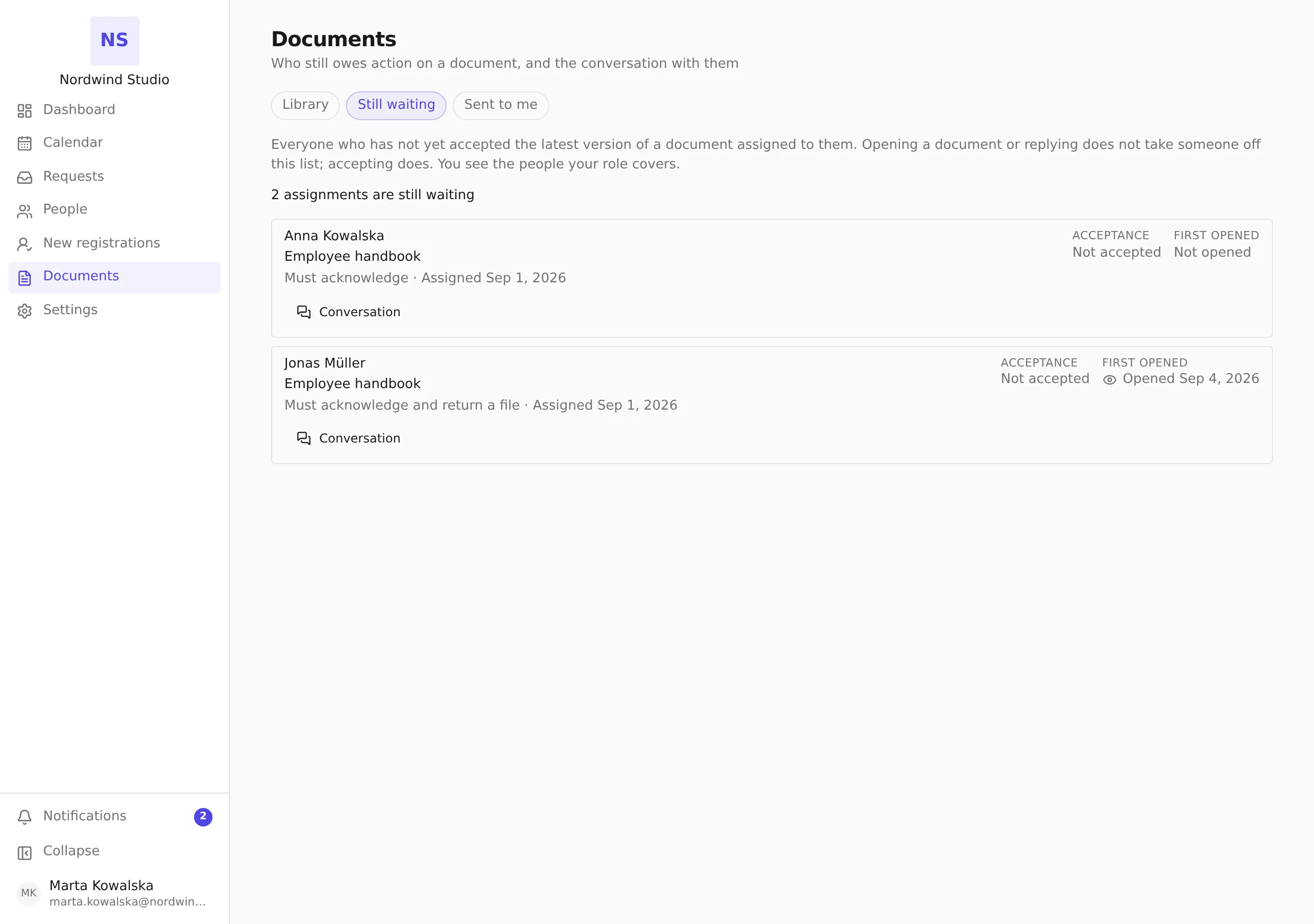
Each row is one person and one document. It shows:
- what they owe — Must acknowledge, or Must acknowledge and return a file;
- when it was assigned;
- Acceptance — Not accepted, or which older version they accepted when a newer one has since been published;
- First opened — whether they have opened the document at all.
Acceptance and first opened are kept apart on purpose: opening a document is not the same as accepting it.
The list is oldest first. When it is long, use Previous and Next to move between pages.
Who is on this list, and what takes them off
A person is on the list while they have not accepted the latest version of a document assigned to them. Only accepting takes them off.
- Opening the document does not.
- Replying to you does not — even if they send back a signed copy.
- Publishing a new version with Must accept again puts those who accepted the old one back on the list. With Keep their acceptance, they stay off it.
Withdrawn assignments, and documents that ask nothing of the person, are never on the list.
Talk to the person about the document
- On their row, press Conversation.
- Read what has been said so far. Their messages are marked with their name, yours with You, and messages from other people in your organization with HR.
- Write in Your message, attach files if you need to with Attach files, and press Send reply.
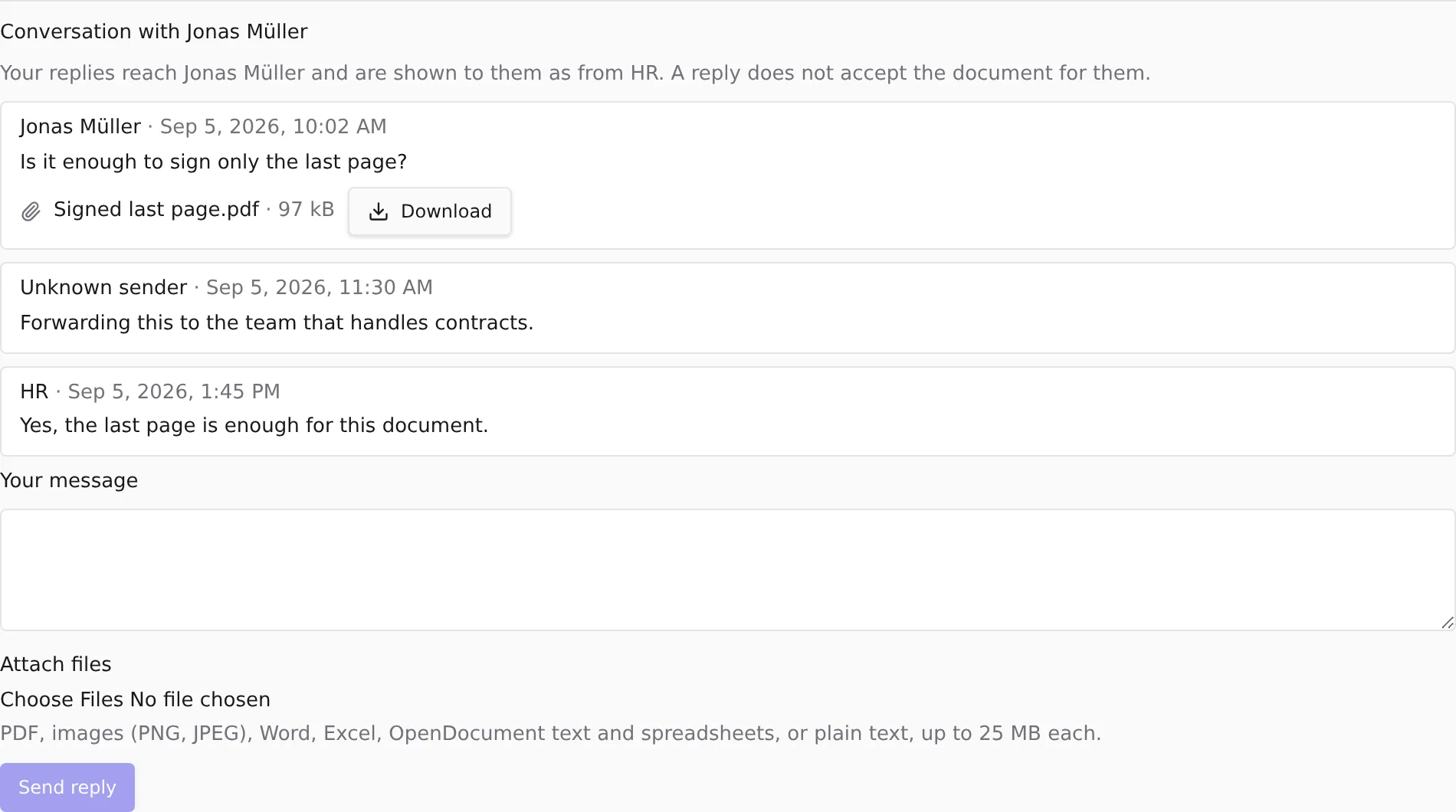
They see your replies as coming from HR, not from you by name. A reply does not accept the document for them — they still have to accept it themselves.
The same conversation is on the document itself: open the document in the Library, press Who has this, then Conversation on the person’s row. That is also where you find conversations about documents the person has already accepted, or that were withdrawn — those are not on Still waiting.
Unknown sender
A message marked Unknown sender was written from an account the product can no longer connect to a person in this conversation — for example someone who has since left, or whose account was removed. The message is kept exactly as written; only who wrote it can no longer be shown. It is never labelled as the employee or as HR, so nobody’s words are put in someone else’s mouth.
If something does not work
The list of people still waiting couldn’t load — a connection problem. Press Try again.
This conversation can’t be shown — you cannot open this conversation. This is an answer, not a connection problem: trying again will not change it.
This file can’t be opened right now — try again later.
Related
- Assigning a document and choosing what people must do
- Checking who has accepted a document
- Setting how often people are reminded about documents
- Replying to HR about a document sent to you — the same conversation, from the employee’s side.