Find and manage your requests
See every absence request you have sent, filter them by status, and finish the drafts you saved for later.
Before you start
- You need an active employee profile. Everything on this screen is yours — requests you sent and drafts only you can see. Approving other people’s requests happens elsewhere; see Review and decide requests.
Steps
- Click Requests in the navigation. On a phone it is one of the tabs along the bottom; if you don’t see it there, tap More.
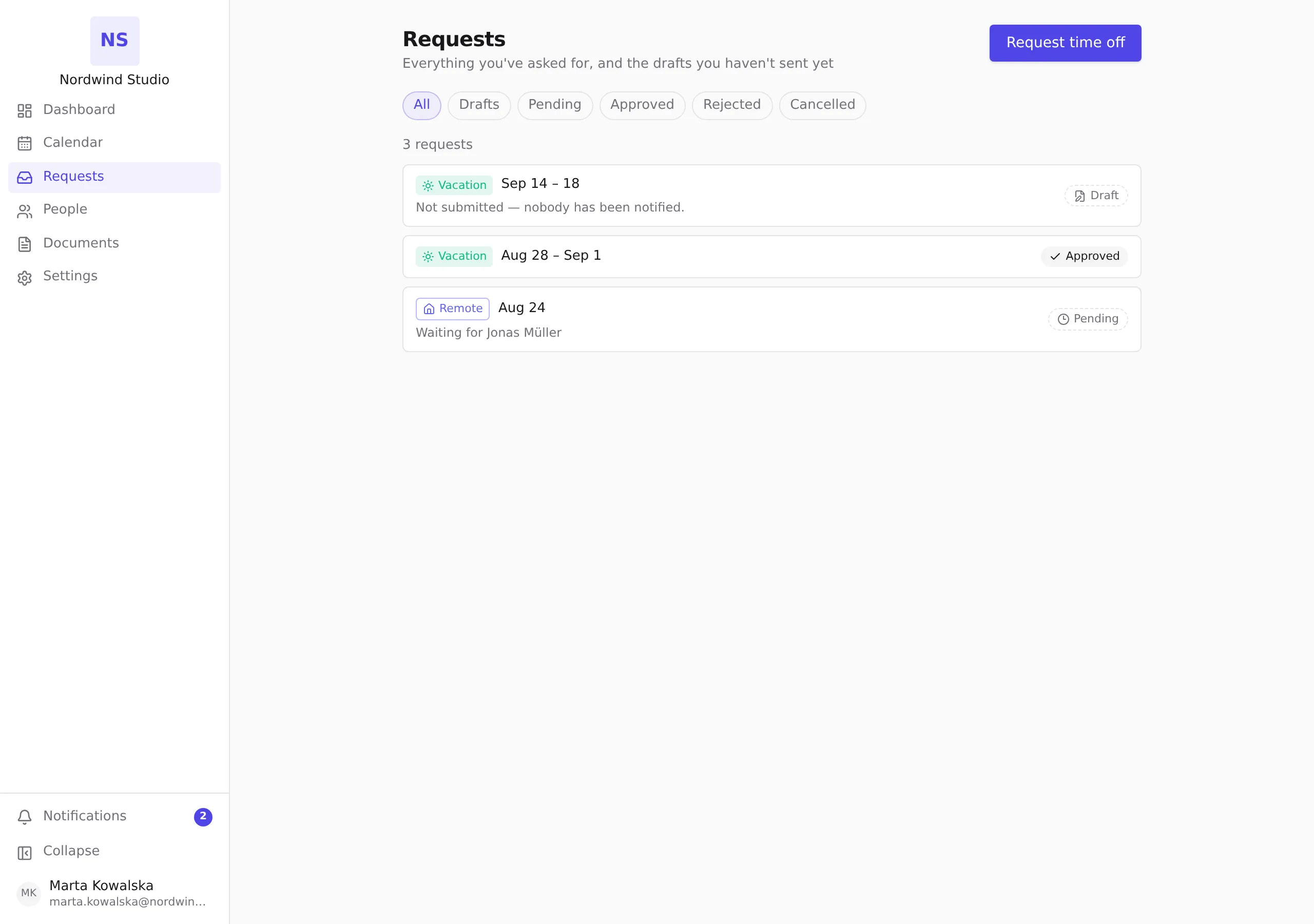
- The list shows each request with its absence type, the dates, and where it stands: Draft, Pending, Approved, Rejected or Cancelled. A pending request also names the person it is waiting for.
- Use the filter above the list to narrow it — All, Drafts, Pending, Approved, Rejected, Cancelled. If a filter has nothing in it, click Show all to go back to the whole list.
- Click any row to open it. A submitted request opens read-only, showing its full history. A Draft opens back in the request form, ready to finish.
Finishing a draft
- Filter by Drafts and click the one you want.
- The form opens with everything you saved — type, dates, half days, coverage person and comment. Change whatever you need.
- Click Submit request to send it, or Save draft again to keep working on it later.
- To throw a draft away, click Discard draft. A draft has not been seen by anyone, so discarding it removes it completely — there is nothing to withdraw and nothing is recorded.
What happens next
- A draft is not a request. Nobody is notified about it, it does not appear in anyone’s approval queue, and it does not reserve or deduct any days from your balance.
- Submitting a draft is the moment it becomes real: your approver is resolved, the coverage person (if the type asks for one) is informed, and the request appears as Pending.
- A request that requires a coverage person can be saved as a draft without one, but not submitted without one — you will be asked for it when you submit.
- Once submitted, a request can no longer be edited. You can withdraw a pending request or cancel an approved one from the request itself; see Request time off.