Designate substitute days off
When a public holiday falls on a day your branch doesn’t work anyway — in Poland, typically a Saturday — labour law expects employees to get a substitute day off. Pauzora lists those holidays for you and lets you designate the substitute day. The product never adds the day by itself: the list only advises, and designating is always your explicit decision.
Before you start
- You need a role that manages policies (HR or Admin).
- Open Settings → Substitute days off and pick the Branch and Year — the calendar is per branch, because branches keep their own holidays and working weeks.
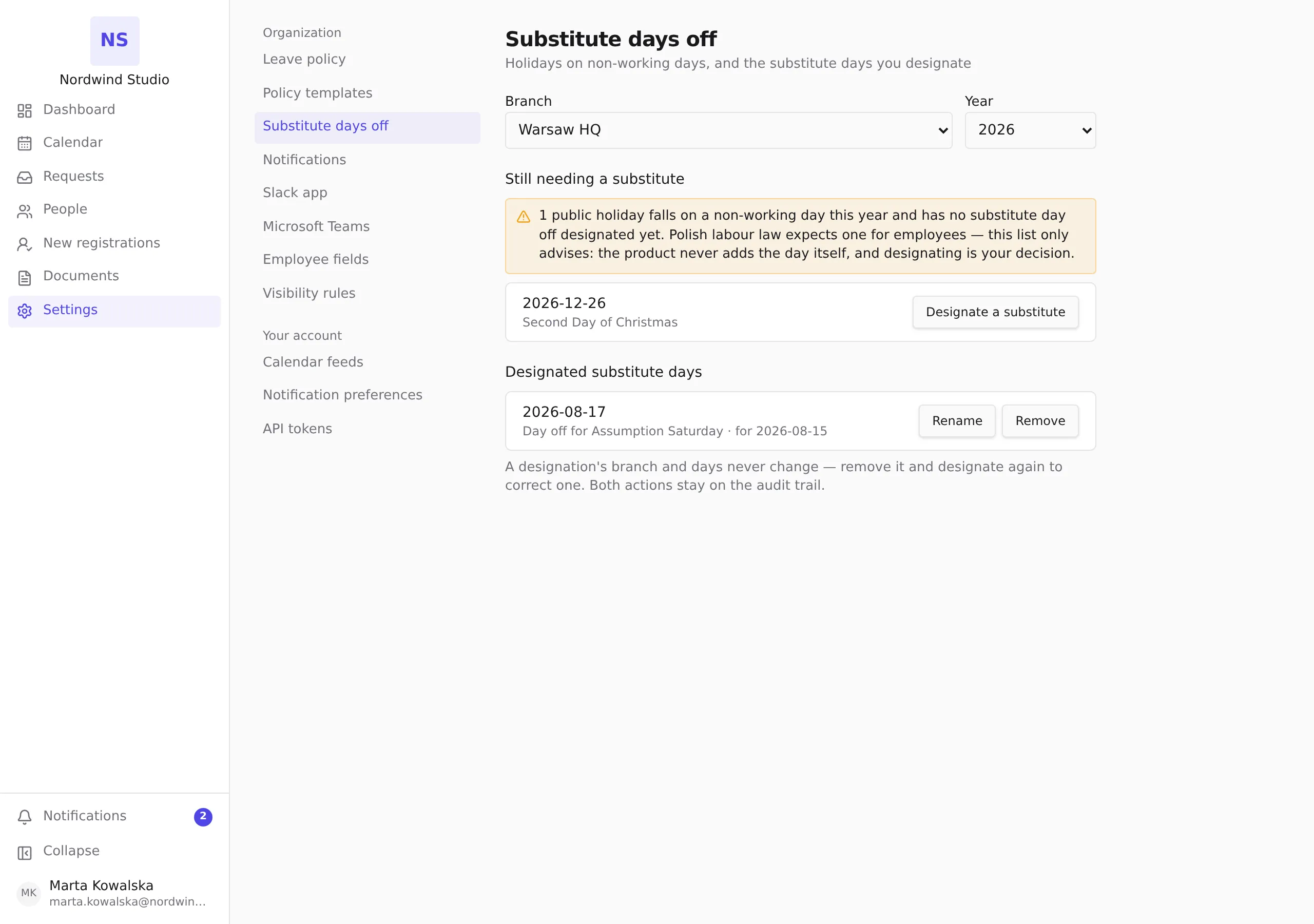
Read the advisory list
Still needing a substitute lists this year’s public holidays that fall on a non-working day and have no substitute designated yet. It is an advisory: nothing is blocked while the list is non-empty, and nothing happens until you act. When every such holiday is covered, the list is replaced by an all-clear note.
Designate a substitute day
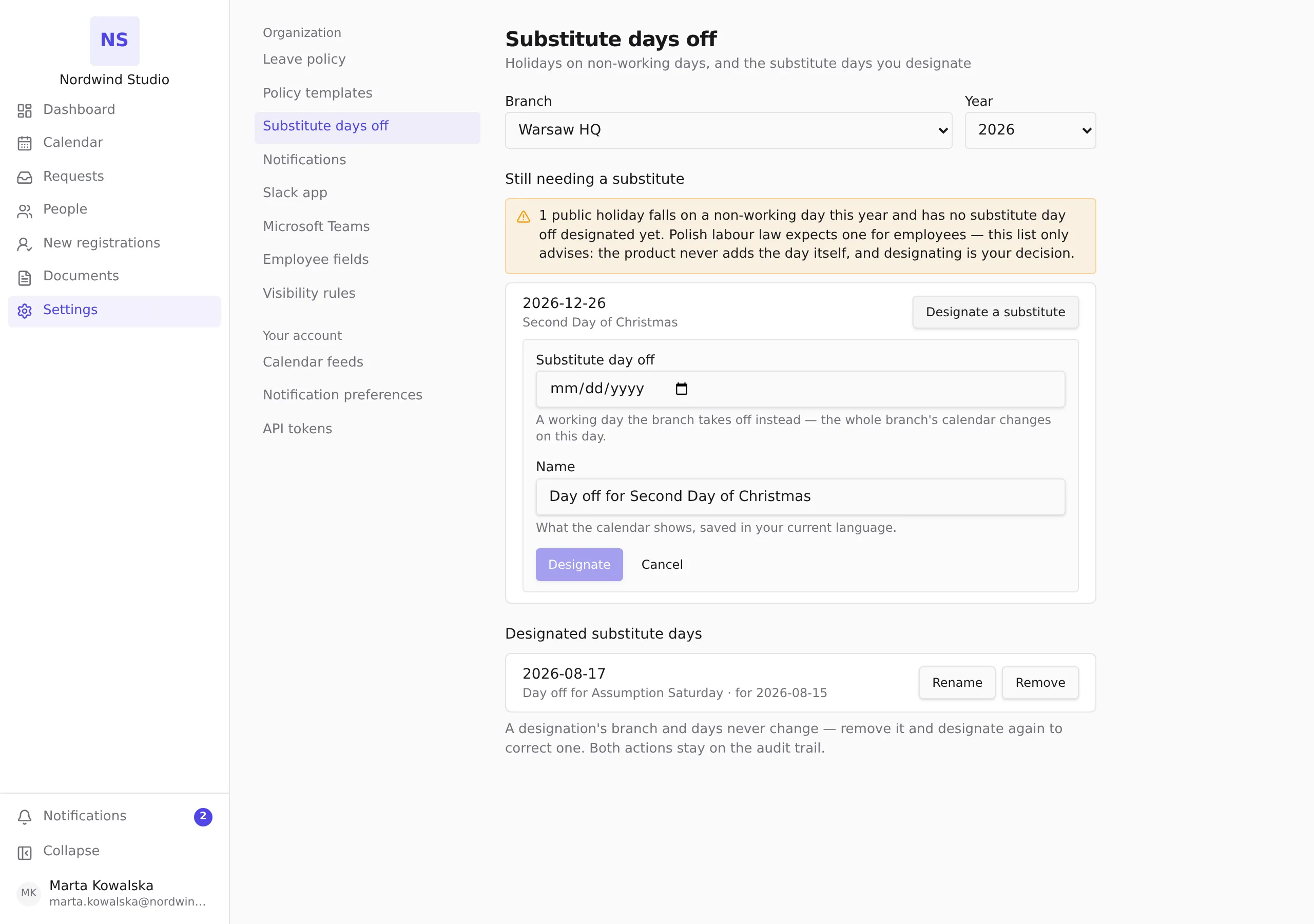
Press Designate a substitute on a holiday’s row and fill in:
- Substitute day off — the working day the branch takes off instead. The whole branch’s calendar changes on this day: absence requests and working-day counts treat it as a day off.
- Name — what the calendar shows, saved in the language you are using right now. It is pre-filled from the holiday’s name; adjust it if you like.
Press Designate. The day appears under Designated substitute days, the holiday leaves the advisory list, and the change lands in the audit log.
Rename, or undo a designation
Under Designated substitute days, each row carries:
- Rename — change the display name (the only thing that can change).
- Remove — undo the designation. The holiday returns to the advisory list, and the removal lands in the audit log too.
A designation’s branch and days never change: to correct one, press Remove and designate again with the right day. Both actions stay on the audit trail, so the history remains honest.