Celebrate birthdays and work anniversaries
Let colleagues know when someone has a birthday or a work anniversary — to their team, on the day, without anyone keeping a private spreadsheet.
This is off until you turn it on. A new organization announces nobody’s birthday, and nothing here changes that by itself.
What Pauzora stores, in plain words
A birthday in Pauzora is a day and a month. There is no year.
That is not a setting or a policy — there is nowhere in the product to put a year of birth, so no message, no chat post, no export and no log line can state one, and nobody’s age can be worked out from anything Pauzora holds.
A work anniversary uses the hire date that is already on the employee’s record, and the announcement never says how many years. It says it is a work anniversary, and that is all.
Before you start
- You need the Settings → Organization → Notifications section. It appears for administrators and HR; if you cannot see the Organization group in Settings, you do not have this permission.
- Someone needs a birthday on file before there is a birthday to announce. See Where birthdays are entered today — it is not yet a field employees fill in themselves.
Step 1 — turn celebrations on
- Open Settings.
- Under Organization, open Notifications.
- Turn on Announce birthdays and work anniversaries.
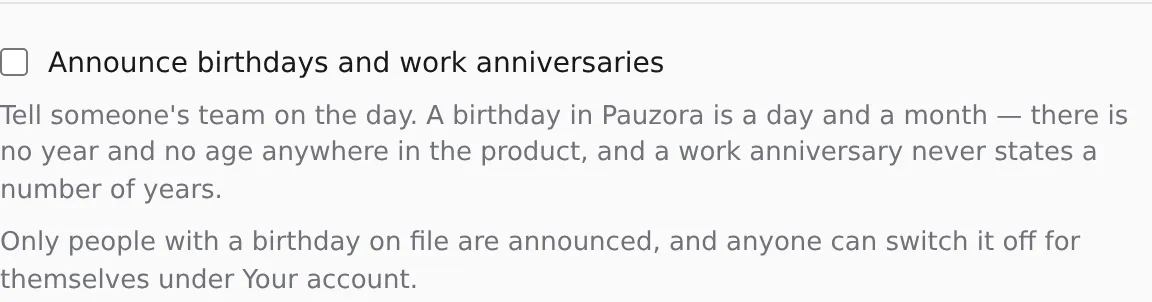
Announcements begin with the next daily run.
Step 2 — decide who you are telling
You do not choose the audience; it follows your organization chart, and it is deliberately small:
- if the person is in a team, their team hears about it;
- if they are not in a team, their branch hears about it;
- never the whole company, and never the person themselves.
If you have also connected a chat channel (Send notifications to Slack), the announcement is posted there as well. A chat channel is one room that everyone with access can read, which is wider than a team — worth a thought before you switch both on. The post carries the same words as the email: a name, and what the day is.
What is announced, and what never is
Announced
- ”
has a birthday today”, to their team or branch. - ”
has a work anniversary today”, to their team or branch.
Never announced
- A year of birth or an age. Neither exists in the product.
- A number of years of service. The anniversary message does not count them, and Pauzora does not work them out anywhere.
- A date. The message is about today; it does not print anybody’s birthday for future reference.
- Anybody who has opted out — see below.
If someone would rather not be mentioned
Anyone can switch this off for themselves:
- Open Settings.
- Under Your account, open Notification preferences.
- Turn off Birthdays and work anniversaries.
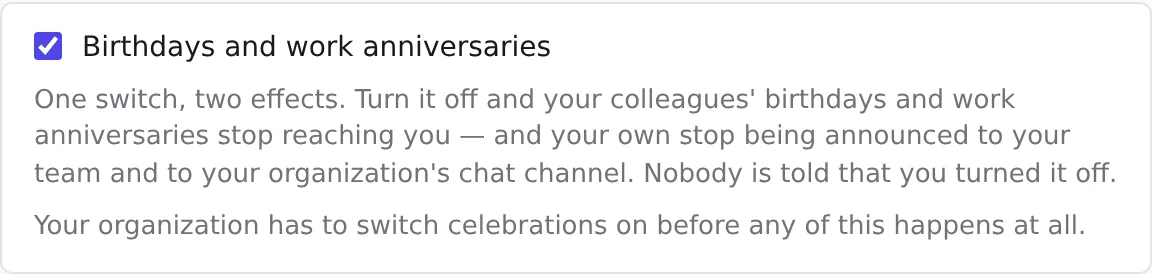
One switch, two effects, both immediate:
- their own birthday and work anniversary stop being announced — to their team and to the chat channel;
- they stop receiving their colleagues’ celebration messages.
Nobody is told that somebody opted out. From the outside it simply looks like a person with no birthday on file.
An employee who has never entered a birthday has nothing to opt out of for the birthday half — but a work anniversary comes from the hire date, which HR fills in, so the switch is the way to decline that one.
Where birthdays are entered today
Today an operator enters birthdays for you, and employees cannot add their own.
Pauzora’s employee records are read-only in the product at the moment: the directory and the person page show what is on file and offer no way to change it. Editing an employee’s details — including adding a day and month of birth — is done by the Pauzora operator through the internal back-office, so ask your contact.
This is a known gap and it is scheduled: the HR edit surface, and with it the employee’s own birthday field, arrive with the next milestone. Until then, an organization with no birthdays on file will only ever see work anniversaries, which need nothing extra.
Turning it off again
Turn off Announce birthdays and work anniversaries in Settings → Organization → Notifications. Announcements stop with the next daily run; nothing already sent is recalled, and nothing is deleted. Birthdays already on file stay on file — turning the feature off stops the announcing, not the record.
Troubleshooting
Nobody’s birthday was announced. Check, in this order:
- Is Announce birthdays and work anniversaries on?
- Does the person have a day and month on file? Without one there is no birthday to announce, and this is the usual answer.
- Has the person opted out in Notification preferences?
- Is anyone left to tell? A person alone in their team has an audience of nobody — move them into a team with colleagues, or leave them without a team so their branch hears instead.
It arrived a day late (or early) for one office. Each location is announced on its own local date, using the branch’s timezone. A branch far to the west of Europe hears late in its own day; the date is right.
Somebody born on 29 February. They are celebrated on 28 February in years that do not have a 29th, and on the 29th when there is one.
It arrived twice. It should not: an announcement is made once per person per day, and re-running the job changes nothing. If you see a duplicate, report it — that is a fault, not a setting.
Related
- Notifications you receive — everything else the product emails people.
- Send notifications to Slack — the chat channel these announcements can also reach.
- Browse the employee directory — where employee records are read today.