Record sick leave for an employee
Record a sick leave (or any other reported absence) for an employee, and correct its dates later if the sick note gets extended or cut short.
Before you start
- You need to be the employee’s manager, or have the HR or Admin role covering them. Employees cannot record sick leave for themselves — they report it to you, and you record it.
- Sick leave is a reported absence: it is a fact you record, not a request that waits for approval. The entry becomes active immediately, and there is no approval chain.
- Backdating is expected — you can record an absence that started days or weeks ago.
Record the absence
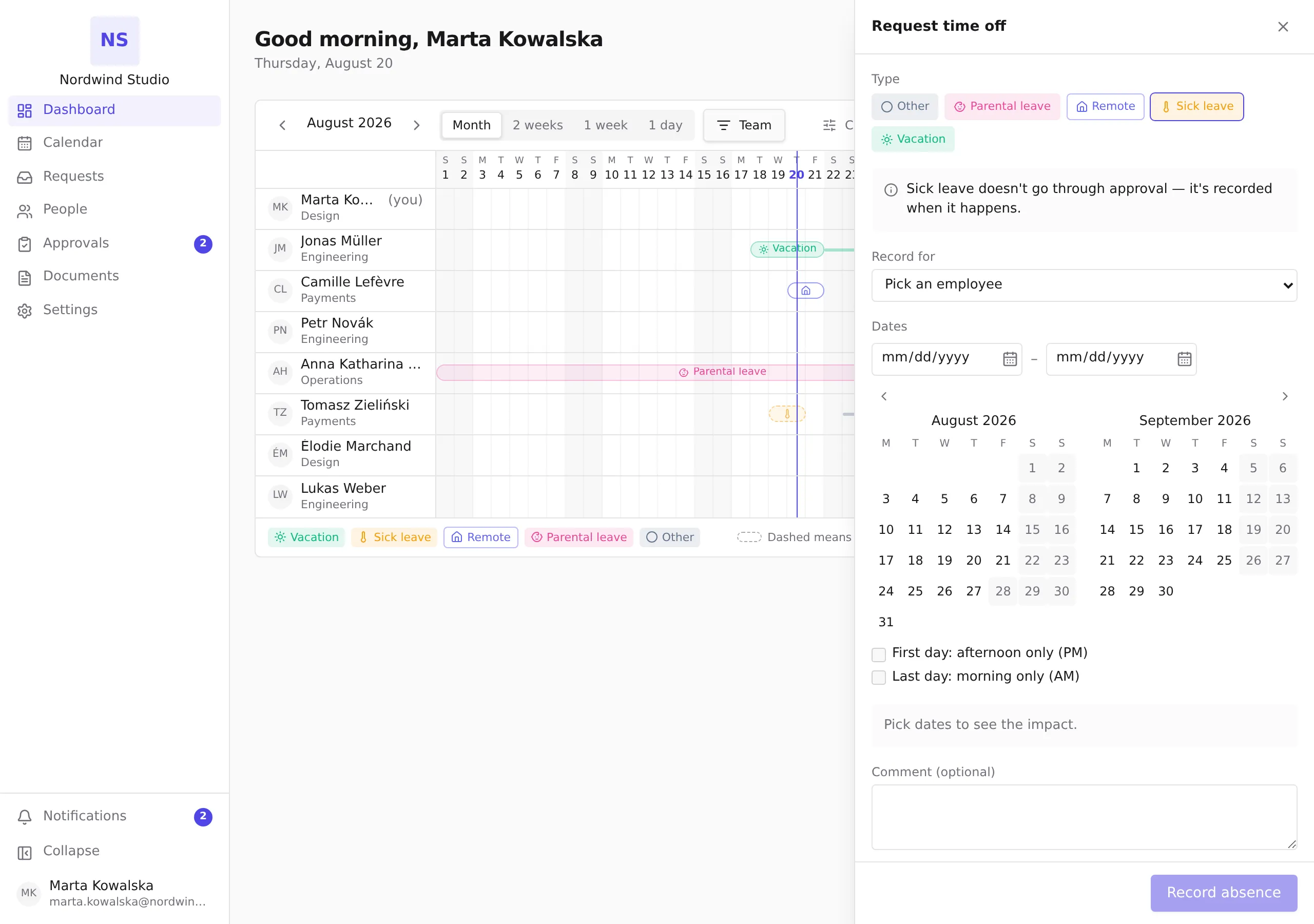
- On your dashboard, click Request time off and pick the reported type (for example Sick leave). The sheet switches to recording: there is no approval preview and no submit button.
- Under Record for, pick the employee.
- Enter the first day and the last day of the absence. If the sick note is still open-ended, enter the dates you know — you can correct them later.
- Optionally add a comment (for example the sick-note reference).
- Click Record absence. The confirmation reads Absence recorded and the entry appears immediately for calendars and availability.
Correct the dates later
If the doctor extends the sick note, or the employee comes back early:
- Open Calendar and pick a day the absence covers.
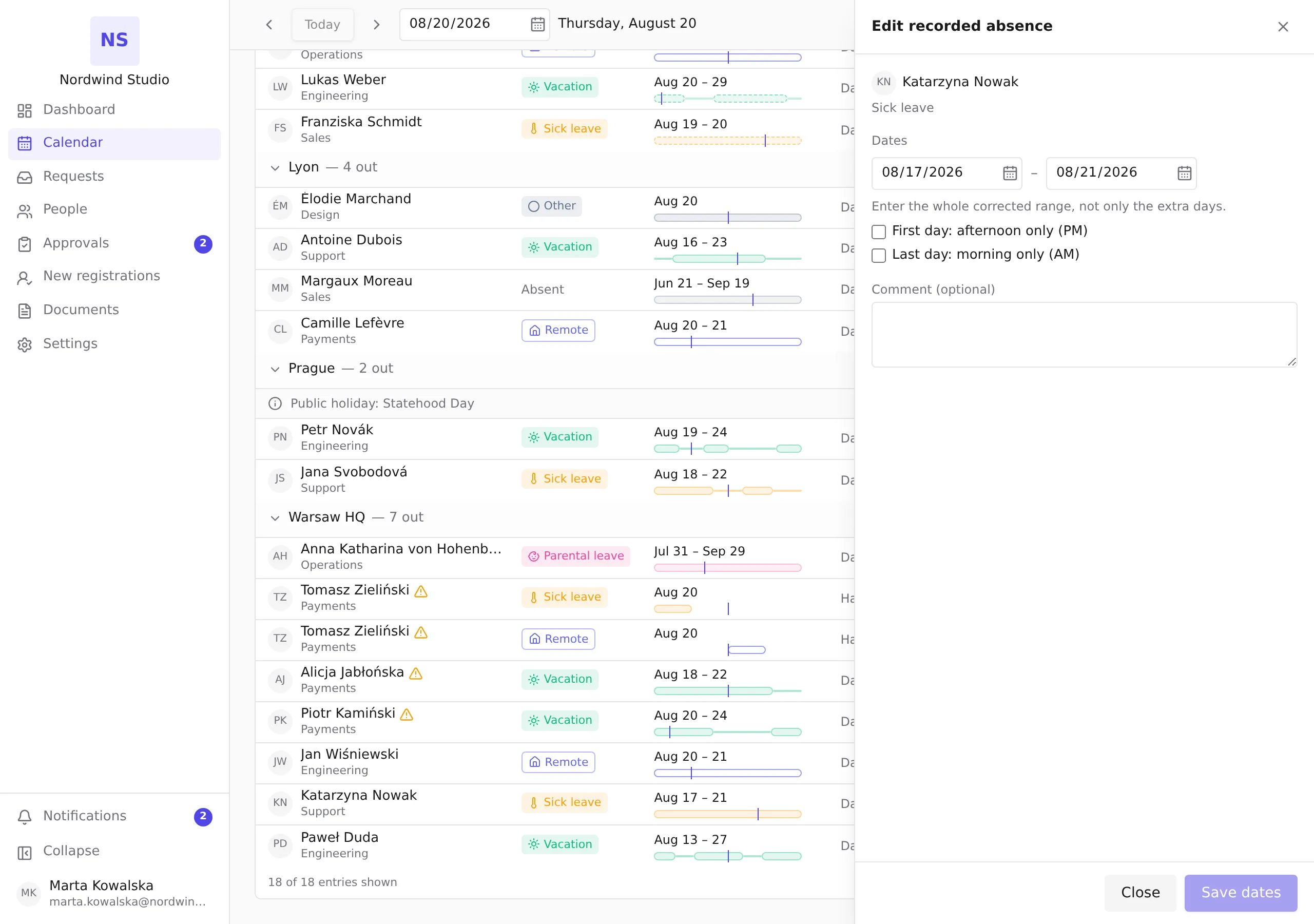
- On the person’s row, open the ⋯ menu and choose Edit. The Edit recorded absence sheet opens with the current dates.
- Enter the whole corrected range — the new first and last day, not only the extra days. Adjust the half-day boxes if needed, and optionally add a comment.
- Click Save dates. The confirmation reads Dates updated.
Every correction is kept in the absence’s history: who changed it, on whose behalf, and both the old and the new dates. If your company set a hard limit for the type and the new range crosses it, the change is refused and the sheet says why.
Edit is available to whoever can record the absence — the manager, or HR or Admin covering the person — and only for recorded absences such as sick leave. For a request that went through approval, Edit stays greyed out: a submitted request cannot be edited, only cancelled.
What happens next
- Sick leave does not reduce anyone’s vacation balance. Reported absence types normally track days without drawing from any leave entitlement (your company’s policy configuration decides this).
- If your company set a tracking threshold for the type (for example the 33-day statutory sick-pay period in Poland), crossing it shows a warning to whoever records the entry — it never blocks the record unless your company explicitly configured a hard limit.
- A record made by mistake can be cancelled if you have the HR or Admin role covering the employee: open Calendar, pick a day the absence covers, choose Cancel request from the ⋯ menu on the person’s row, and confirm with Cancel absence. The books are corrected automatically. A manager cannot cancel it — ask HR.