When your organization is read-only
When your organization’s subscription lapses, Pauzora becomes read-only for everyone in it. Nothing is deleted and nobody is locked out: you can still sign in, look at everything you could see before, and export it. Changes are turned off until an administrator renews the subscription.
How you can tell
A banner at the top of every screen says:
“Your organization’s access is read-only for now. You can still view and export data; changes are turned off until an administrator renews the subscription.”
Buttons that would change something, such as Request time off, Approve, Invite people or Grant role, are greyed out. If you try a change that is not greyed out, the same sentence appears instead of the result.
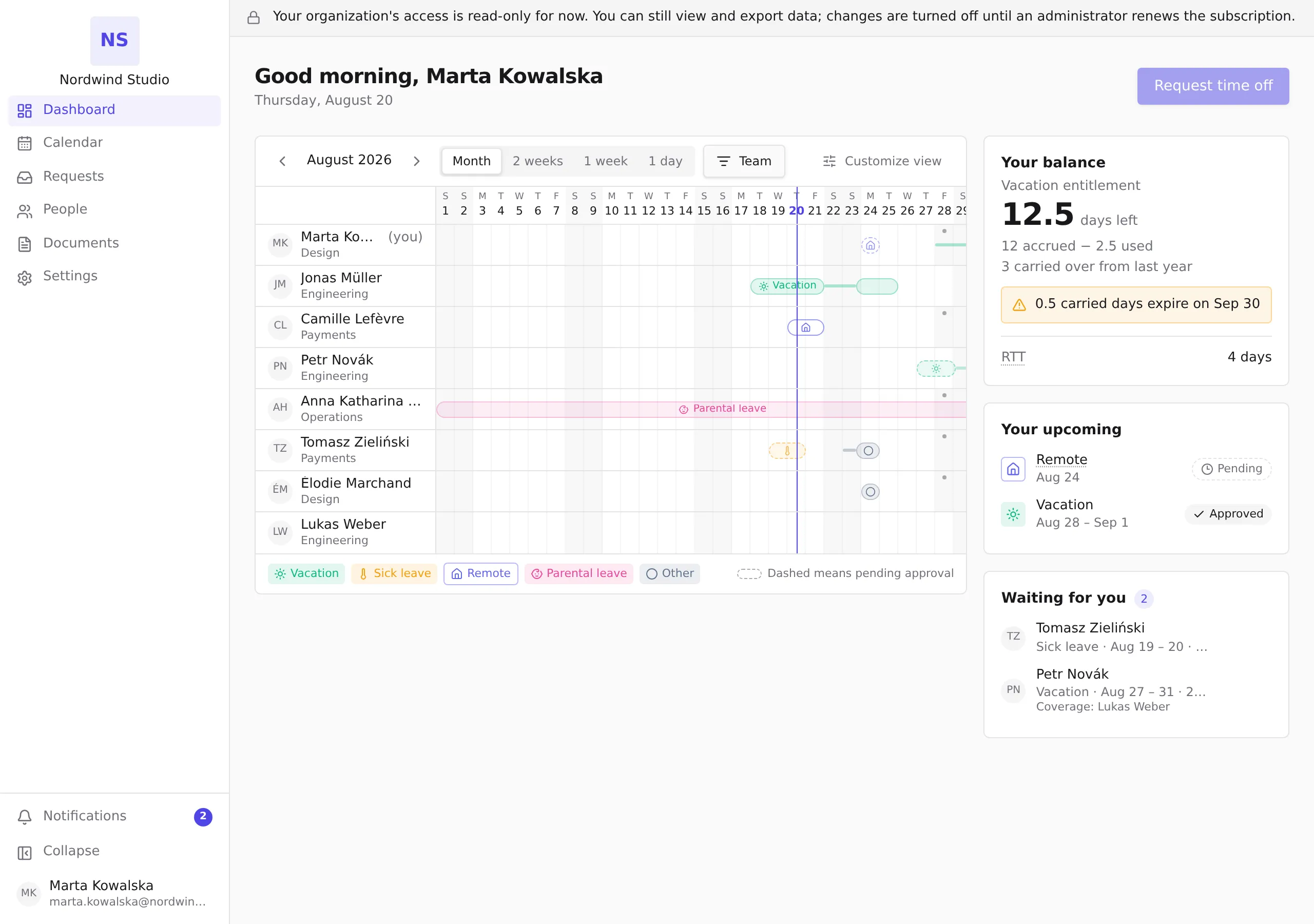
What still works
- Signing in and out, changing your password, and choosing the language.
- Viewing everything you could see before: the calendar, requests, balances, people and documents.
- Exporting data and reading your calendar feeds.
- Changes that only reduce what is shared, so you can still protect your
data:
- revoking one of your API tokens, or revoking a calendar feed or giving it a new link with Regenerate;
- erasing a document under the right to erasure;
- removing the Slack Webhook address (Remove), or choosing Disconnect for Microsoft Teams;
- revoking a role (granting one is turned off);
- revoking an invitation (sending or resending one is turned off).
What to do
- If you are an employee or a manager, there is nothing to do yourself. Tell your organization’s administrator, or wait for them to renew.
- If you are an Admin or HR for the whole organization, the banner has a Go to billing link. It opens Settings → Billing, where you can subscribe again or replace a failing card. Full access returns as soon as the payment succeeds. See Pay for your subscription.