Invite people
Send someone an email invitation with their branch and hire date already filled in. They set a password and join, with no registration for you to review.
Before you start
- You need the HR or Admin role. If your role is for one branch, you can invite people into that branch only.
- You can invite any email address, including addresses that are not at your company’s email domain.
- Once the person accepts, they count toward your subscription’s employee count, like every other employee.
Steps
- Open New registrations in the sidebar and choose Invite people. You can also start from People.
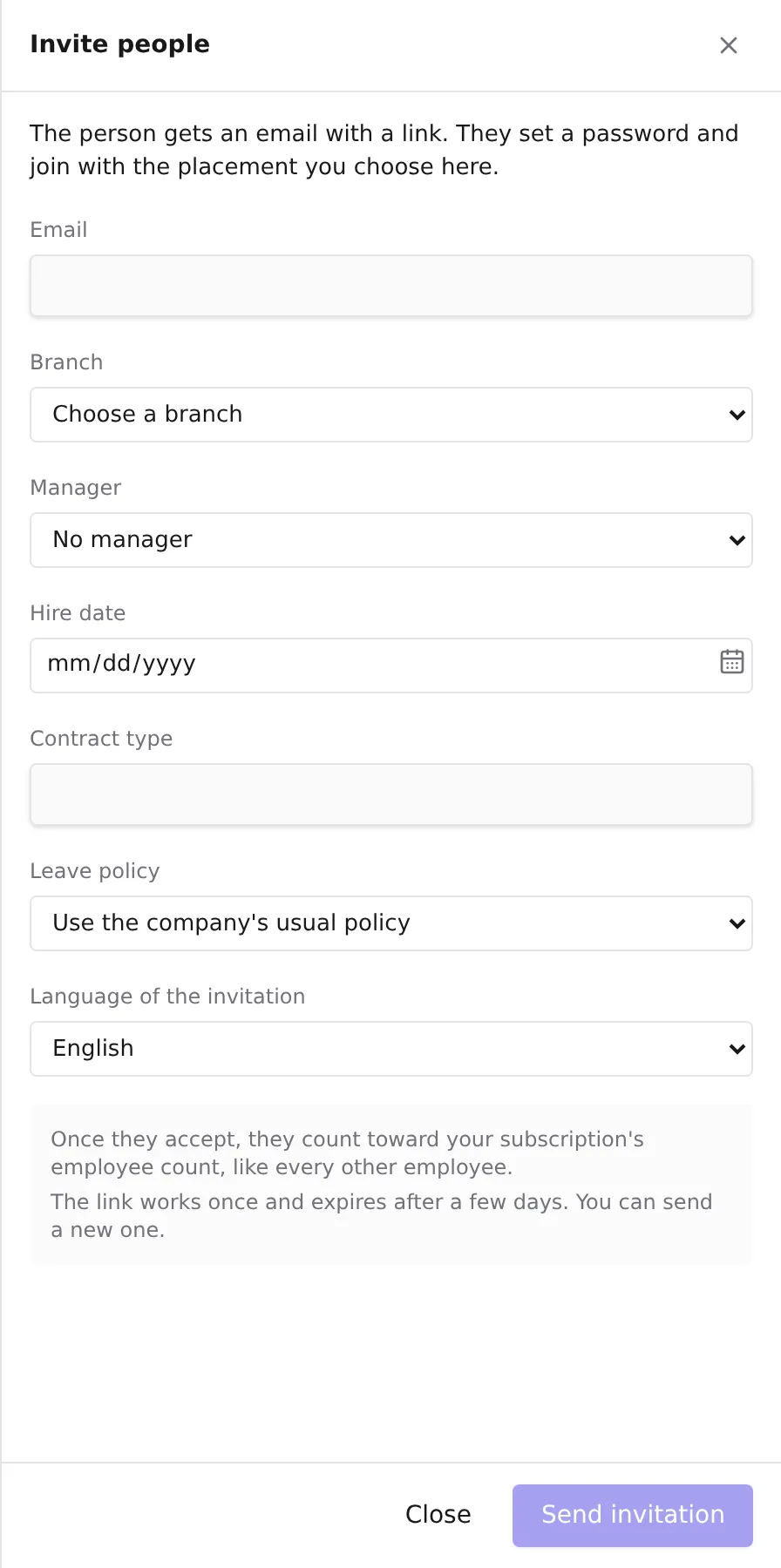
- Enter the person’s Email and choose their Branch. Add a Team, Manager, Hire date, Contract type or Leave policy if you already know them. These are the same details you would set when approving a registration.
- Choose the Language of the invitation, the language the email and the joining page are written in.
- Choose Send invitation.
What happens next
- The person gets an email with a link. The link works once and expires after 7 days.
- Until they accept, the invitation is listed under New registrations → Invitations, with when the link stops working.
- When they accept, they become an employee in the branch you chose, and their profile records who invited them.

If something does not work
- “The email couldn’t be delivered. Resend it, or check the address.” — the email bounced or could not be sent. Check the address; if it is right, choose Resend. For security, a link that could not be delivered is not kept, so resending is the only way to get a new one to them.
- “The link has expired.” — choose Resend to send a new link with a fresh 7 days.
- To take an invitation back, choose Revoke. The link stops working at once. This works even while your organization’s access is read-only.
- “Someone with this email address is already part of your organization.” — they already have an account; find them in People.
- “This person has already registered and is waiting in New registrations.” — review their registration on the Waiting tab instead.
Related
- Approve new registrations
- Accept an invitation — what the person sees
- Choose which email addresses can register