Accept an invitation
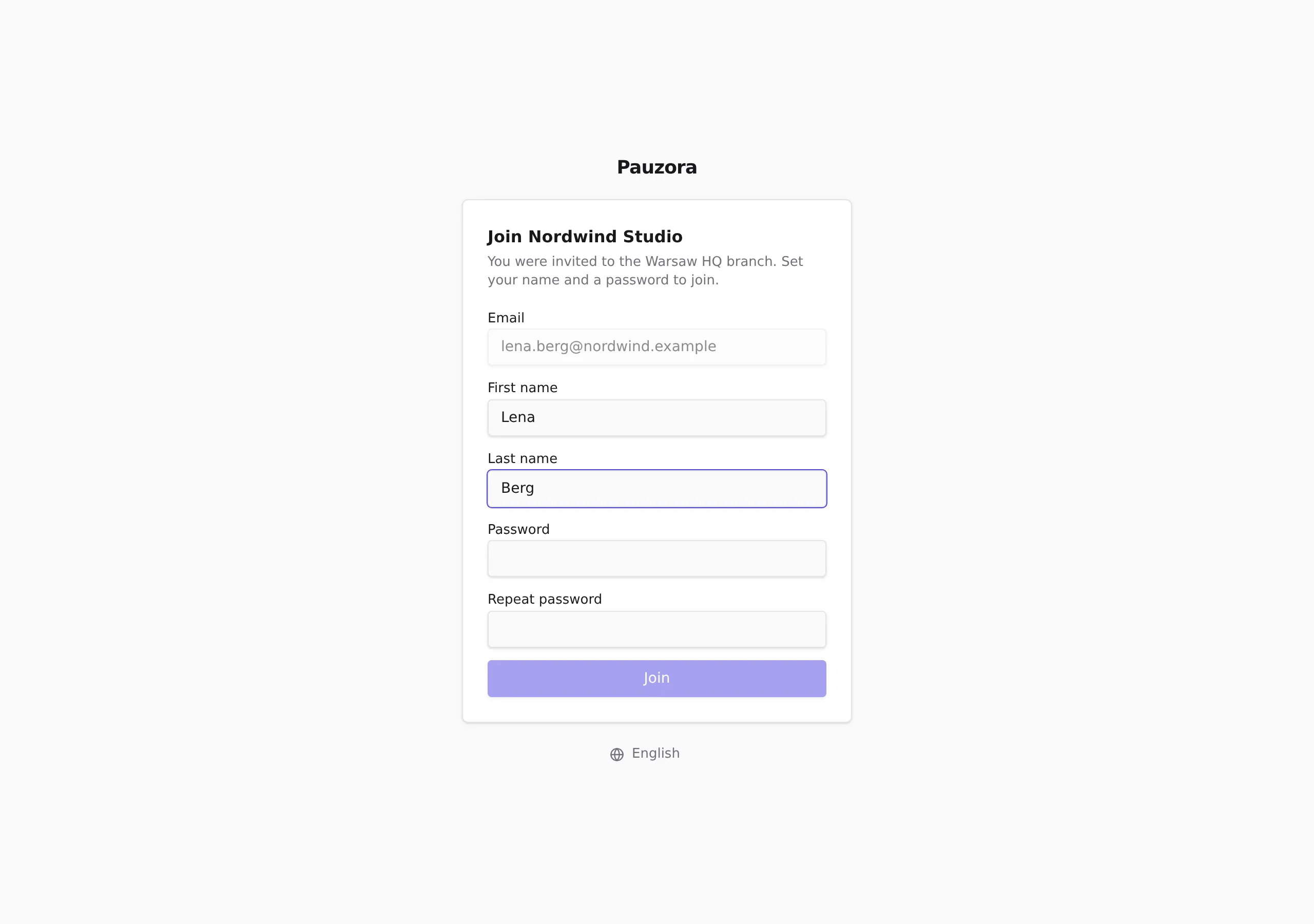
Join your company’s Pauzora from the invitation email. Your HR team or an administrator has already chosen your branch, so all you set is your name and a password.
Before you start
- You need the invitation email. The link in it works once and expires after 7 days.
Steps
- Open the invitation email and follow the link.
- Check that the organization and branch are yours. Your Email is already filled in.
- Enter your First name and Last name.
- Choose a Password and type it again in Repeat password.
- Choose Join.
What happens next
- Your account is ready straight away: there is nothing for anyone to approve. Choose Go to sign in and sign in with your email and the password you just set.
- The first thing most people do is request their first time off.
If something does not work
- “This invitation link doesn’t work anymore” — the link has expired, was already used, or was replaced by a newer one. Ask the person who invited you to send a new link.
- “The two passwords don’t match.” — type the same password in both fields.
- “You can’t join right now” — your organization cannot take new members at the moment. Ask your HR team.