Reminders about a document waiting for you
Dieser Inhalt ist noch nicht in deiner Sprache verfügbar.
If your organization sent you a document to read and you have not accepted it yet, you get a short email reminding you. This article explains when those reminders come and how to stop them.
Before you start
- Reminders are only about documents that ask something of you: You need to confirm you have read this, or the same with a signed copy to return. A document marked Nothing to do — this is here for you to read never sends one.
- The reminder comes by email. If your organization has connected a chat app, it may also arrive there as a direct message.
What the reminder says
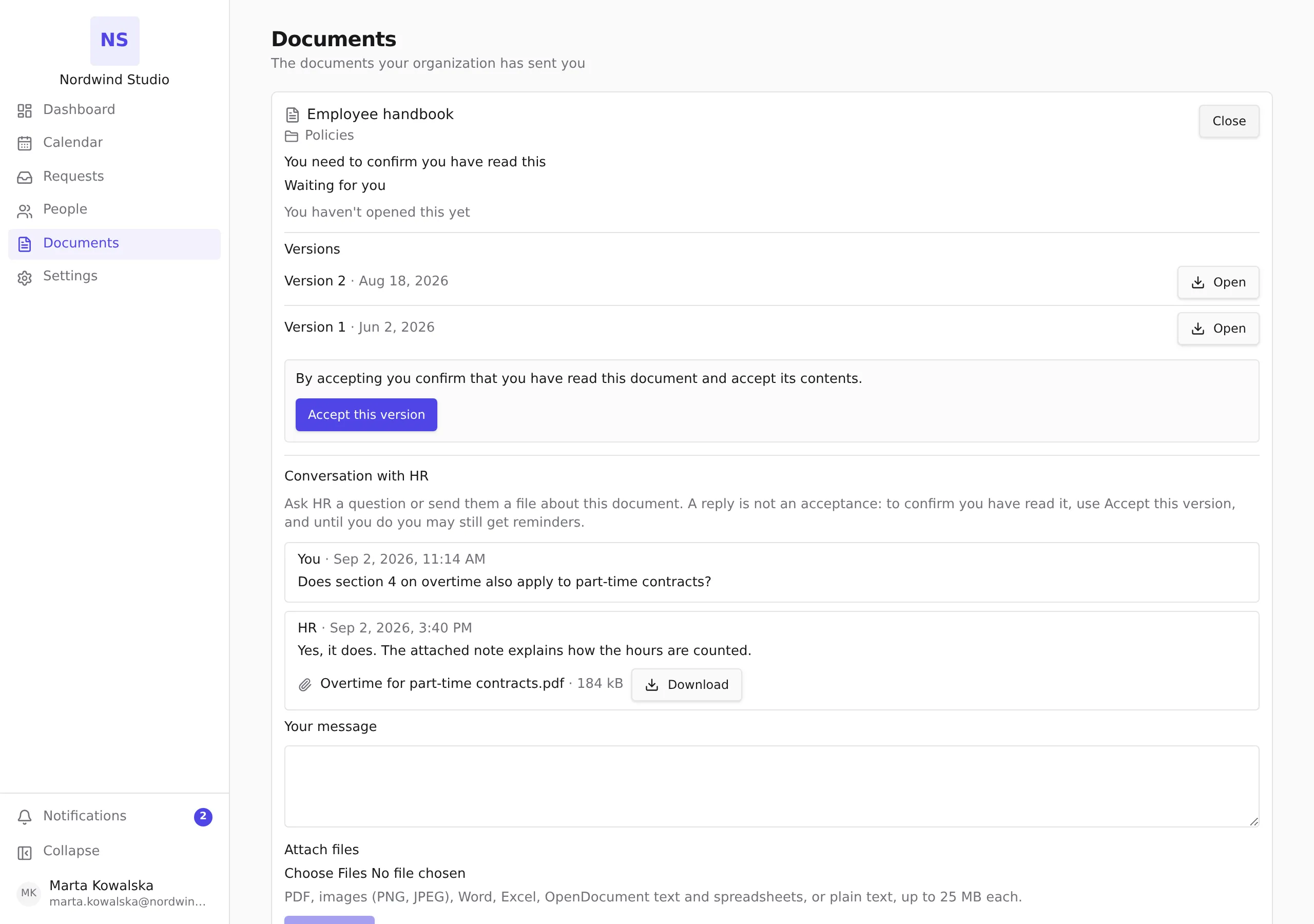
The subject reads Reminder: “Employee handbook” still needs your acknowledgement, with the title of your document in place of the example. The email names the document and links straight to the Sent to me tab of Documents, where you open and accept it.
When reminders come
Your organization decides how often. Unless it has changed the schedule, it works like this:
- The first reminder comes 3 days after the document was sent to you.
- If you still have not accepted it, another comes 7 days later.
- There are at most 3 reminders for each version of a document. After the third, no more are sent.
Your organization can choose different numbers, or turn reminders off altogether.
How to stop them
Accept the document. That is the only thing that stops the reminders for you, and it stops them straight away. Open the document from the link in the email or from Sent to me, read it, and press Accept this version. The steps are in Reading and accepting a document sent to you.
A few things that do not stop them:
- Opening the file. Opening a document is not the same as accepting it, so the reminders continue until you press the button.
- Writing a reply or asking a question about the document. A question is not an acceptance. Whoever sent the document can see your reply, and the reminders keep coming until the document is accepted.
- Notification settings. There is no personal switch for these reminders. Accepting the document is something your organization needs from you, so the reminder cannot be silenced the way a birthday message can.
Reminders also stop if your organization withdraws the document.
If a new version arrives
When your organization publishes a new version of a document and asks people to accept it again, the count starts over for the new version. You can get up to 3 reminders about it, even if you had some about the old version.